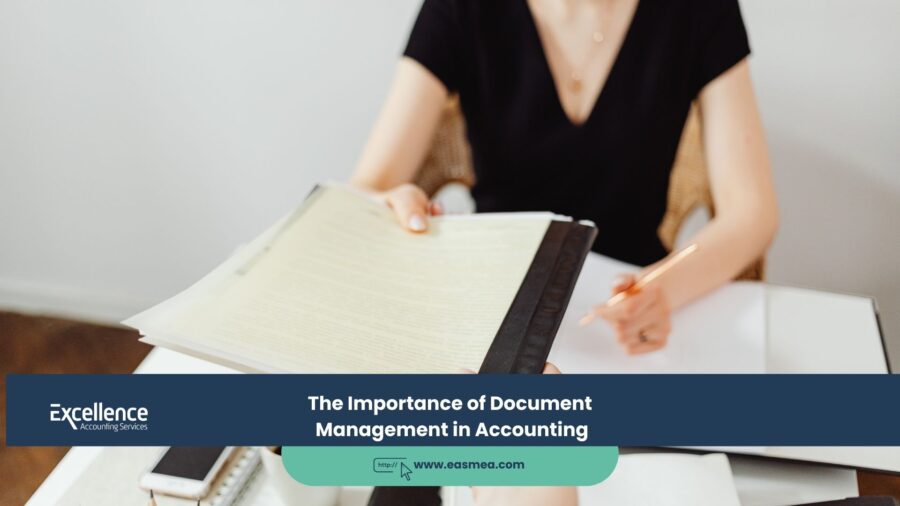
The Paper Trail to Profit: Why Document Management is the Backbone of Modern Accounting
In the world of finance, there is an old saying: “If you can’t prove it, it didn’t happen.” You might have spent AED 50,000 on a legitimate business expense, but if you lose the tax invoice, that expense effectively ceases to exist in the eyes of the Federal Tax Authority (FTA). It becomes a non-deductible cost, inflating your tax bill and exposing you to penalties.
- The Paper Trail to Profit: Why Document Management is the Backbone of Modern Accounting
- The High Cost of "Financial Amnesia"
- The Regulatory Landscape: The UAE's "Digital Vault" Requirements
- The Anatomy of a Modern Document Management System (DMS)
- Strategic Benefits of Document Management
- Best Practices for Your Document Management Strategy
- How Excellence Accounting Services (EAS) Organizes Your Financial Life
- Frequently Asked Questions (FAQs) on Document Management
- Is Your Financial History Safe and Searchable?
This brings us to the critical, yet often neglected, discipline of Financial Document Management. For many businesses, “document management” conjures images of dusty shoeboxes filled with faded receipts or chaotic desktop folders named “Invoices_Final_V2.” In the modern UAE business landscape, this approach is a liability. Document management is not just about storage; it is the active system of capturing, tracking, and securing the “chain of evidence” for every financial transaction in your company.
With the stringent record-keeping requirements of VAT and the new UAE Corporate Tax, document management has graduated from an administrative chore to a strategic necessity. It is the foundation of audit defense, the accelerator of cash flow, and the first line of defense against fraud. This guide will explore why a robust Document Management System (DMS) is the unsung hero of financial success and how to build one that works.
[Image of a digital document management workflow diagram]
Key Takeaways
- The “Chain of Custody”: Document management ensures that every number on your financial statements can be traced back to a source document (invoice, contract, receipt). This is the essence of audit readiness.
- The 7-Year Rule: Under UAE law, you must retain financial records for a minimum of 7 years. A digital, searchable archive is the only practical way to comply.
- Cash Flow Velocity: Poor document management slows down payments. If you can’t find the Purchase Order (PO) or the Proof of Delivery (POD), your customer won’t pay the invoice.
- Digitization is Mandatory: The days of physical filing cabinets are numbered. Cloud-based storage with OCR (Optical Character Recognition) is the new standard for efficiency and security.
- Integration is Key: Your documents should live inside your accounting system, not in a separate folder. Clicking a transaction in your ledger should instantly open the underlying invoice.
The High Cost of “Financial Amnesia”
When a business loses track of its documents, it suffers from “financial amnesia.” It forgets what it bought, who approved it, and whether it was paid. The costs of this amnesia are tangible and severe.
1. The Audit Nightmare
Imagine an FTA auditor asks to see the supporting invoices for a VAT refund claim you made three years ago.
- Scenario A (Chaos): You spend three weeks digging through archived boxes in a warehouse. You find 80% of them. The receipts are faded and unreadable. The auditor rejects the claim and applies penalties.
- Scenario B (Management): You type the transaction ID into your system. Instantly, a digital copy of the tax invoice, the PO, and the payment receipt appears. You export it to a PDF and email it to the auditor in 5 minutes.
Document management is your primary defense in preparing for FTA audits.
2. The Cash Flow Drag
Disputes delay payments. A customer might say, “We never received those goods.” If you can’t instantly produce the signed Delivery Note, that invoice goes unpaid for months. Efficient accounts receivable management relies entirely on having the right documents ready to prove your claim.
3. The “Leakage” of Profit
Without a document trail, you pay for things you shouldn’t. You pay duplicate invoices because you lost the first one. You pay for goods that were damaged because you lost the inspection report. You fail to reclaim VAT on expenses because the staff member lost the receipt. This “leakage” can amount to 1-3% of revenue.
The Regulatory Landscape: The UAE’s “Digital Vault” Requirements
In the UAE, keeping records is not a choice; it’s the law. The regulatory framework is strict.
- VAT Law: Requires records to be kept for a minimum of 5 years (15 years for real estate).
- Corporate Tax Law: Requires records to be kept for 7 years.
- The Requirement: The documents must be legible, authentic, and accessible. While physical storage is allowed, the FTA highly encourages and accepts digital records, provided they guarantee the integrity of the data.
This means your document management system must act as a “Digital Vault”—secure, unchangeable, and organized. (See our guide on Mandatory Record-Keeping).
The Anatomy of a Modern Document Management System (DMS)
A modern DMS is not a filing cabinet; it’s a workflow. It consists of four stages: Capture, Indexing, Storage, and Retrieval.
Stage 1: Capture (The End of Data Entry)
The old way was typing data from a paper invoice into the system and then filing the paper. The new way is **Optical Character Recognition (OCR)**.
Modern tools (like Zoho Expense or AutoEntry) scan the document. The AI “reads” the invoice, identifies the vendor, the date, the amount, and the VAT, and creates the transaction in your accounting software automatically. The image of the document is instantly attached to the transaction. This eliminates manual error and ensures 100% capture.
Stage 2: Indexing & Context (The “Metadata”)
A document is useless if you don’t know what it is. Good management involves tagging documents with “metadata.”
- Transaction Link: The invoice is linked to the specific Journal Entry ID.
- Project Link: The cost is tagged to a specific “Project” or “Cost Center.”
- Approval Chain: The document includes a digital stamp of *who* approved it and *when*. This is critical for internal audit trails.
Stage 3: Storage (The Cloud)
Documents should not live on a local hard drive. They should live in a secure, redundant cloud environment. This ensures:
- Disaster Recovery: If your office burns down, your financial history is safe.
- Access Control: You can define who sees what. A junior staff member can see invoices but not payroll records.
- Immutability: Advanced systems prevent documents from being deleted or altered after a period is closed (the “Audit Lock”).
Stage 4: Retrieval (Searchability)
You should be able to find any document in 30 seconds. You should be able to search by Amount (“Show me all invoices over AED 10k”), by Vendor, by Date, or even by the text *inside* the scanned PDF (full-text search).
Strategic Benefits of Document Management
Beyond compliance, good document management drives strategy.
1. Accelerating Due Diligence
If you ever want to sell your business or raise capital, investors will conduct due diligence. They will ask for a “Data Room” containing contracts, leases, and financial records. A business with a robust DMS can populate a Data Room in 24 hours. A business without one may take months, killing the deal momentum.
2. Empowering Remote Work
You cannot have a hybrid or remote finance team if your invoices are in physical binders in the office. Digital document management allows your team—and your Outsourced CFO—to work from anywhere, accessing the same “single source of truth.”
3. Enabling Variance Analysis
When a CFO sees a budget variance (e.g., “Travel expense is 20% over budget”), their first question is “Why?” With integrated documents, they can drill down into the GL, click on the line item, and view the actual hotel receipts to see *exactly* who spent the money and why. This connects the high-level numbers to the ground-level reality. (Link to Variance Analysis).
Best Practices for Your Document Management Strategy
Implementing a system requires discipline. Here are the rules to follow:
1. The “Touch It Once” Rule
A document should be digitized the moment it enters the business. Don’t let paper pile up on a desk “to be scanned later.” Scan it, tag it, and shred the paper (unless a physical original is legally mandated for a specific contract type).
2. Standardized Naming Conventions
If you save files externally, use a strict naming convention.
Bad: “Invoice.pdf”
Good: “YYYY-MM-DD_VendorName_Inv#1234_Amount.pdf”
This allows you to sort and find files even without opening them.
3. Integrate, Don’t Duplicate
Your documents should live *inside* your accounting software whenever possible. Don’t save an invoice in a Dropbox folder *and* in your accounting software. The accounting software link is the primary record.
4. Separate “Permanent” vs. “Transactional” Files
Transactional documents (invoices, receipts) should live in the accounting system. Permanent documents (Trade Licenses, Office Leases, Bank Loan Agreements, Shareholder Agreements) should live in a secure, separate “Corporate Vault” folder, as they apply to the whole business, not just one transaction. This is vital for business consultancy and restructuring.
How Excellence Accounting Services (EAS) Organizes Your Financial Life
We don’t just crunch numbers; we build the systems that secure them. EAS provides a holistic approach to document management and financial integrity.
- System Implementation: We implement Zoho Books and configure the document scanning and attachment workflows, ensuring your digital archive is built automatically as you work. (Link to Accounting System Implementation).
- Backlog Scanning & Clean-Up: Is your history a mess? Our accounting review team can help digitize and organize your historical records to ensure you are audit-ready.
- Managed Bookkeeping: Our bookkeeping services include the rigorous attachment of source documents to every entry. We don’t just post the number; we post the proof.
- Audit Defense: If the FTA calls, we handle the document retrieval and submission, using our organized records to resolve queries quickly and painlessly.
- Internal Controls: We design the approval workflows (e.g., PO approvals) that create the necessary paper trail for every expense.
Frequently Asked Questions (FAQs) on Document Management
In the vast majority of cases in the UAE, yes. The FTA accepts digital records as long as they are authentic, legible, and unalterable. However, for certain legal contracts or specific government dealings, keeping the original physical copy is still prudent. We recommend a “hybrid” approach: digitize everything for daily use, but keep a physical archive of high-value contracts and deeds.
PDF is the gold standard. It is universally readable and difficult to accidentally edit. Avoid saving financial records as Word docs or Excel files (which can be easily changed). Images (JPEG/PNG) are acceptable for receipts but are harder to search than PDFs with OCR layers.
Do not just leave them in your inbox. An inbox is not a filing system. You should either: 1. Forward them to your accounting system’s unique email address (Zoho Books allows this), which automatically creates a draft bill. 2. Save the email as a PDF and attach it to the transaction.
No. A bank statement only proves *payment*. It does not prove *what* was bought, the VAT breakdown, or the business purpose. The FTA requires the detailed Tax Invoice to allow a VAT deduction. A bank line item is not a substitute for an invoice.
Payroll documents (contracts, timesheets, leave approvals, WPS receipts) contain sensitive personal data. They should be stored in a secure, access-controlled HR system or a restricted folder in your DMS, separate from general invoices. (Link to Payroll Services).
This is why cloud storage is mandatory. If your documents are on a local laptop and it crashes, you have lost your financial history. If they are in Zoho Books or Google Drive/OneDrive, they are backed up in the cloud and unaffected by your hardware failure.
It prevents “double billing” (submitting the same invoice twice) because the system will flag the duplicate document number. It also prevents “fake vendors” because a rigorous 3-way match process (PO + Delivery Note + Invoice) requires three separate documents to agree before payment is made.
Not necessarily. You can adopt a “day forward” strategy: start scanning everything from *today* (or the start of this fiscal year). Keep the old paper files in secure physical storage. If you are facing an audit or due diligence, you may need to scan specific historical periods.
Yes. Mobile apps are excellent for “field capture.” Salespeople can scan travel receipts, and site managers can scan delivery notes immediately. This prevents documents from getting lost in pockets or trucks.
You, the business owner. Your financial records are your property. Ensure that any system you use allows you to export *your* data and documents if you decide to switch providers. At EAS, we ensure our clients always have full ownership and access to their digital records.
Conclusion: The Archive of Your Success
Your financial documents are the biography of your business. They tell the story of every sale, every investment, and every decision. Managing them is not about bureaucracy; it’s about preserving the integrity of that story. A robust Document Management System protects you from the risks of the past (audits, disputes) and equips you for the opportunities of the future (investment, growth).
By moving from a culture of paper chaos to one of digital order, you are building a business that is transparent, efficient, and resilient. You are building a business that can prove its worth, down to the last fils.